How to Use Tree Credits 🌱
Tree Credits are the core of Bloomy Earth.
They allow you to plant real trees in verified reforestation projects, reward your customers or employees, and automate climate action across your tools and workflows.
This page explains how Tree Credits are added, how they are used, and how to plant trees manually or automatically.
1. What Tree Credits Represent
Each Tree Credit gives your company the ability to plant one real tree.
Bloomy Earth guarantees that there are always projects available where
1 credit = 1 tree, as part of our accessibility commitment.
Some projects require more than one credit per tree — for example 2 or 3 credits — depending on local planting costs, species, logistics, and partner operations.
You can see the exact credit cost per project here:
https://www.bloomy.earth/dashboard/#plant-tree-credit
or directly on each project page:
https://www.bloomy.earth/impact-shop/
2. How Tree Credits Are Added to Your Account
Tree Credits appear in your balance in only two ways:
Subscription
Every Bloomy Earth membership includes a monthly allocation of Tree Credits, depending on your plan.
You can view all plans here:
https://www.bloomy.earth/commit-to-change/
Manual Top-Ups
If you need more credits, you can purchase additional packs anytime:
https://www.bloomy.earth/impact-shop/
There are no other sources of Tree Credits.
3. How Credits Are Used Through Business Automations
Bloomy Earth includes several business features that can trigger tree planting automatically. These features use your Tree Credit balance, and every planting action appears in your Dashboard with full transparency.
You can connect Bloomy Earth to the tools your teams already work with — Zapier, Make, Activepieces, Albato, the Bloomy API, WordPress/WooCommerce, and Slack (Teams coming soon). Once connected, tree planting becomes part of your existing workflows.
Businesses generally use these automations to:
-
Plant a tree for an order, subscription renewal, or onboarding milestone
-
Reward referrals, feature adoption, or successful support interactions
-
Celebrate internal achievements and employee progress
These actions consume Tree Credits, and your dashboard keeps track of every planting.
The only exception is Bloomy Website, which plants free bonus trees based on traffic. These do not reduce your balance and appear separately in your dashboard as “Bloomy Website Bonus.”
4. How to Plant Trees Manually (Using Your Credits)
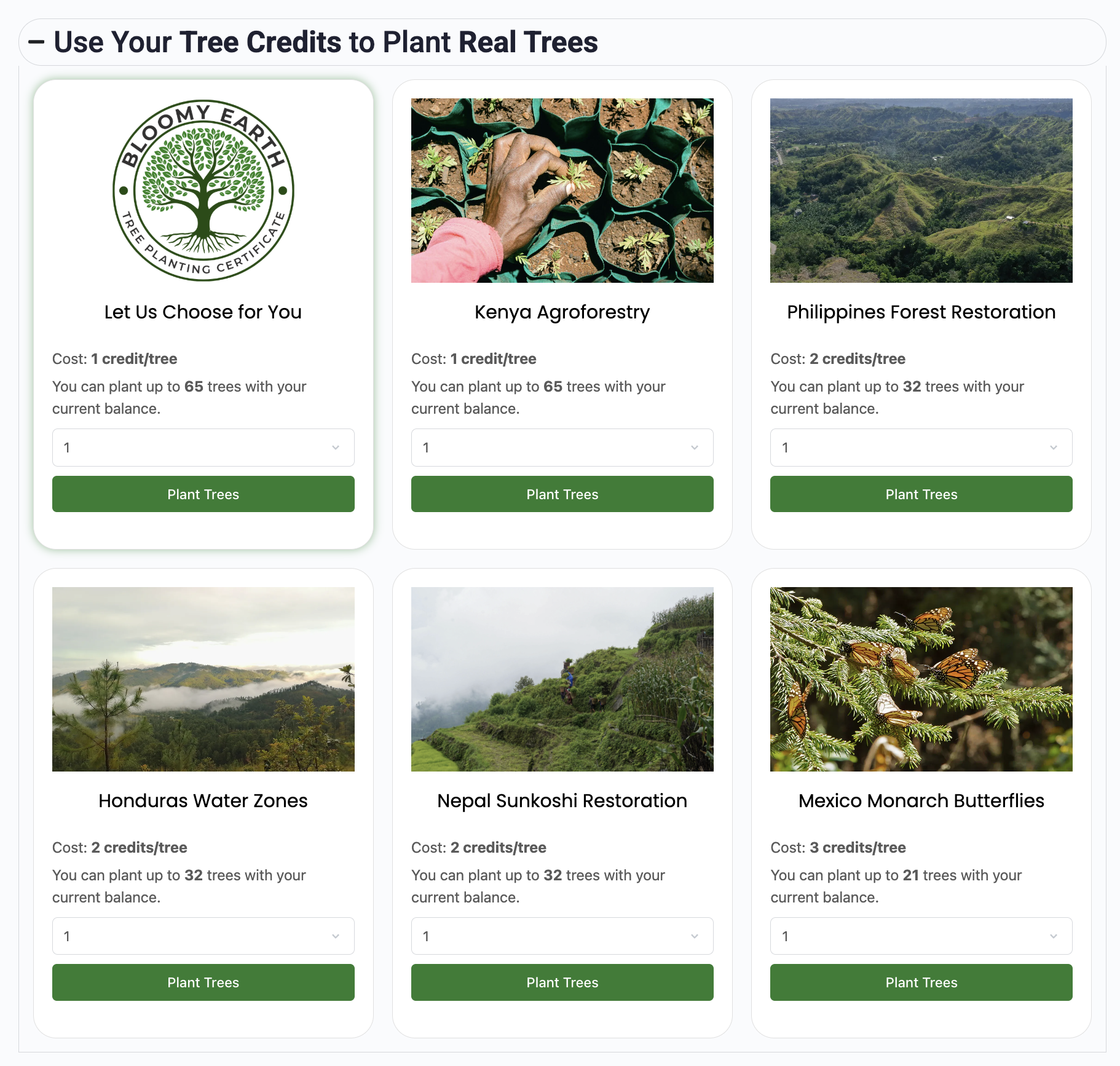
If you prefer planting manually instead of automation, you can do it directly from your Dashboard.
Step 1 — Open Your Dashboard
Go to:
Scroll to the section “Use Your Tree Credits to Plant Real Trees.”
You will see all available projects, each with its location and credit cost per tree.
Step 2 — Choose a Planting Option
You can either:
-
Let Bloomy Earth choose the project automatically
-
Or select a project manually (Kenya, Philippines, Mexico, Tanzania, France…)
Step 3 — Select the Quantity
Choose how many trees you want to plant, from 1 tree to your entire balance.
Step 4 — Confirmation & Certificate
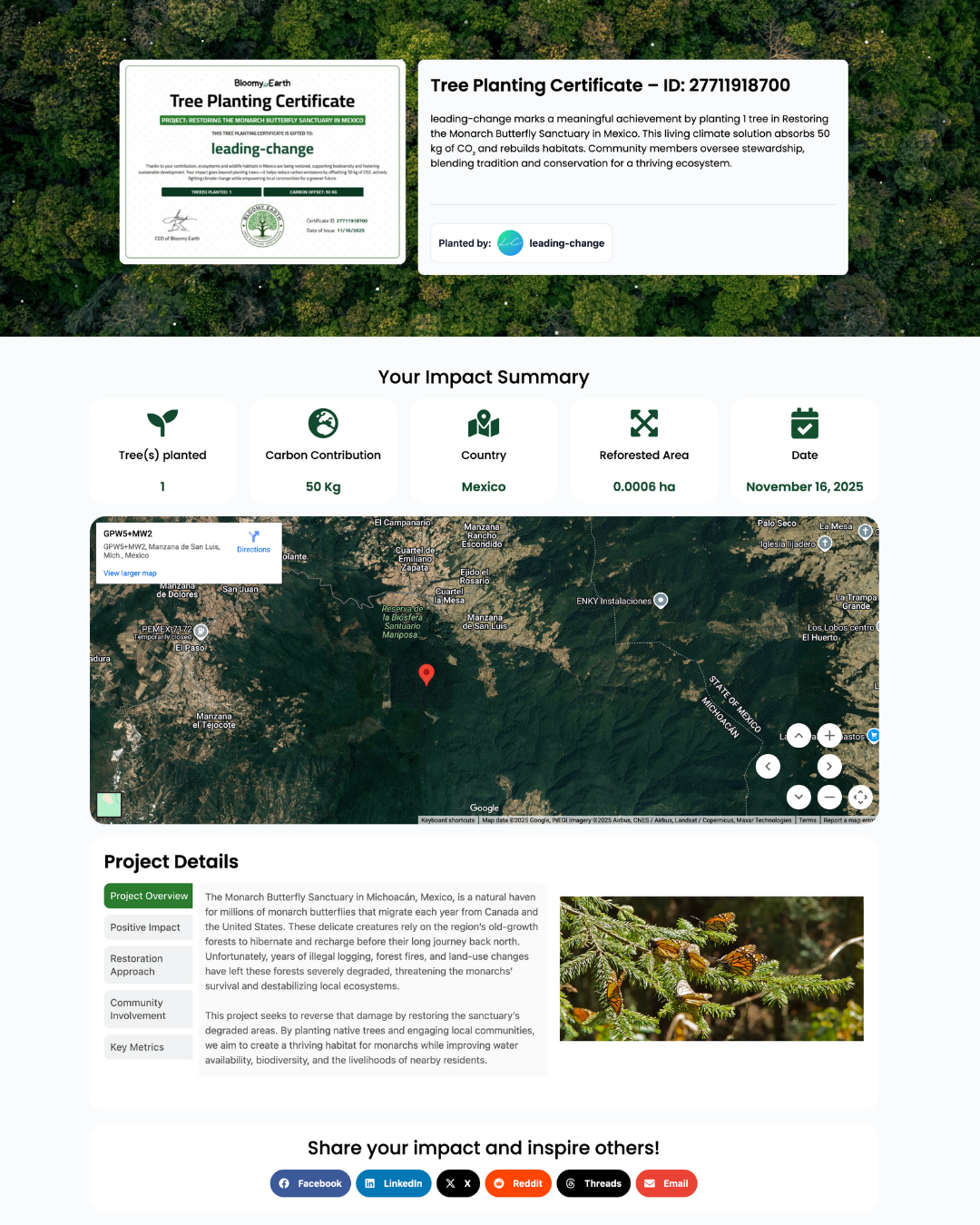
Your planting is processed instantly.
You are redirected to a Tree Planting Certificate, containing:
-
Project information
-
GPS location
-
Number of trees
-
Carbon contribution
-
Recipient (if gift)
You also receive a confirmation email with the certificate link.
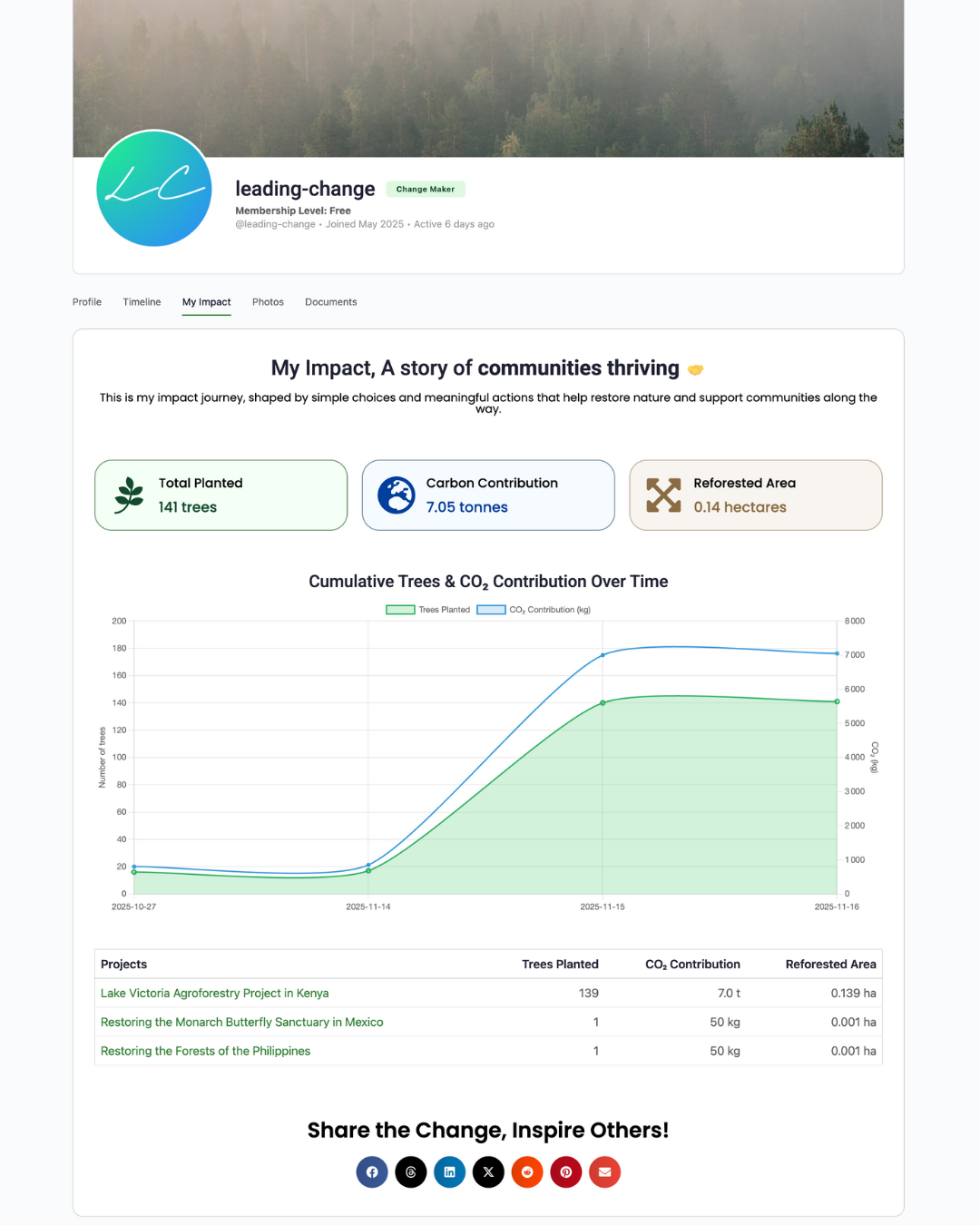
Step 5 — Track Your Impact
All certificates are accessible in:
Dashboard → Tree Certificates
5. How Projects Are Selected When You “Let Us Choose”
If you do not pick a project manually, Bloomy Earth selects one for you automatically.
This default selection always chooses a project where 1 Tree Credit = 1 tree, ensuring maximum accessibility and predictable credit usage.
Selection is based on:
• Active planting seasons
• Available capacity
• Ecosystem needs
• Cost efficiency
• Local partner operations
The goal is always to place your contribution where it has maximum real impact, while guaranteeing that the automatic choice remains as affordable and efficient as possible.
6. Gift Planting (Optional)
You can use your credits to plant trees as a gift for:
-
Customers
-
Employees
-
Partners
-
Event attendees
You simply add a name, email, and optional message.
The certificate is sent to the recipient automatically.
7. How Certificates and Reporting Work
Every tree you plant generates a digital certificate with:
-
Project name
-
Country
-
GPS coordinates
-
Number of trees
-
Carbon contribution
-
Reforested area
All certificates are stored in your Dashboard can be exported or shared.
For companies with larger commitments, a VCS (Verified Carbon Standard) certificate can be provided once per year:
-
Automatic for Bloomy Ecosystem
-
Optional and payable for other plans
-
Must be requested before December 1st

Summary
Tree Credits make it simple for any company to take measurable climate action.
They’re easy to acquire, transparent to track, and flexible to use — manually or automatically.
Whether you plant trees directly, automate planting with your tools, or reward your community, your Tree Credits turn positive intent into real environmental impact.