✅ How to Activate and Install the Climate Positive Badge

Overview
Bloomy Website automatically offsets your website’s carbon footprint.
Every visit to your site consumes energy and produces CO₂ — Bloomy Earth turns that impact into action by planting trees on your behalf.
Once activated, the Bloomy Website widget tracks your website’s traffic and plants trees based on real visitor data.
You’ll also earn the Climate Positive Website badge to display on your site and showcase your environmental commitment.
1. Access Your Dashboard
Go to your Bloomy Earth dashboard:
👉 https://www.bloomy.earth/dashboard/
Scroll down to the section “Bloomy Offset Services.”
Under “Bloomy Website,” click on the green button “Go to Profile Setup.”
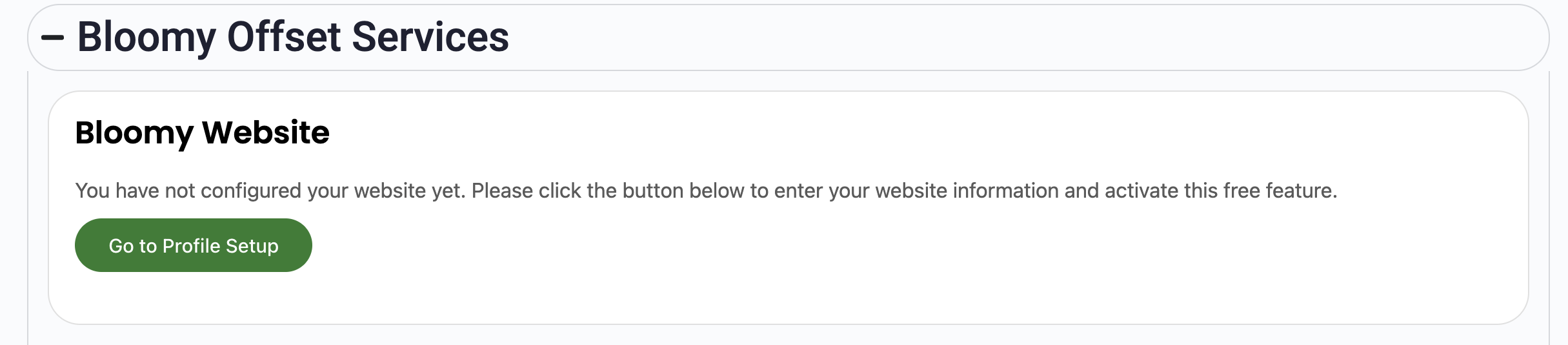
If your website is already configured, you’ll skip this part and move directly to Step 4.
2. Configure Your Website Information
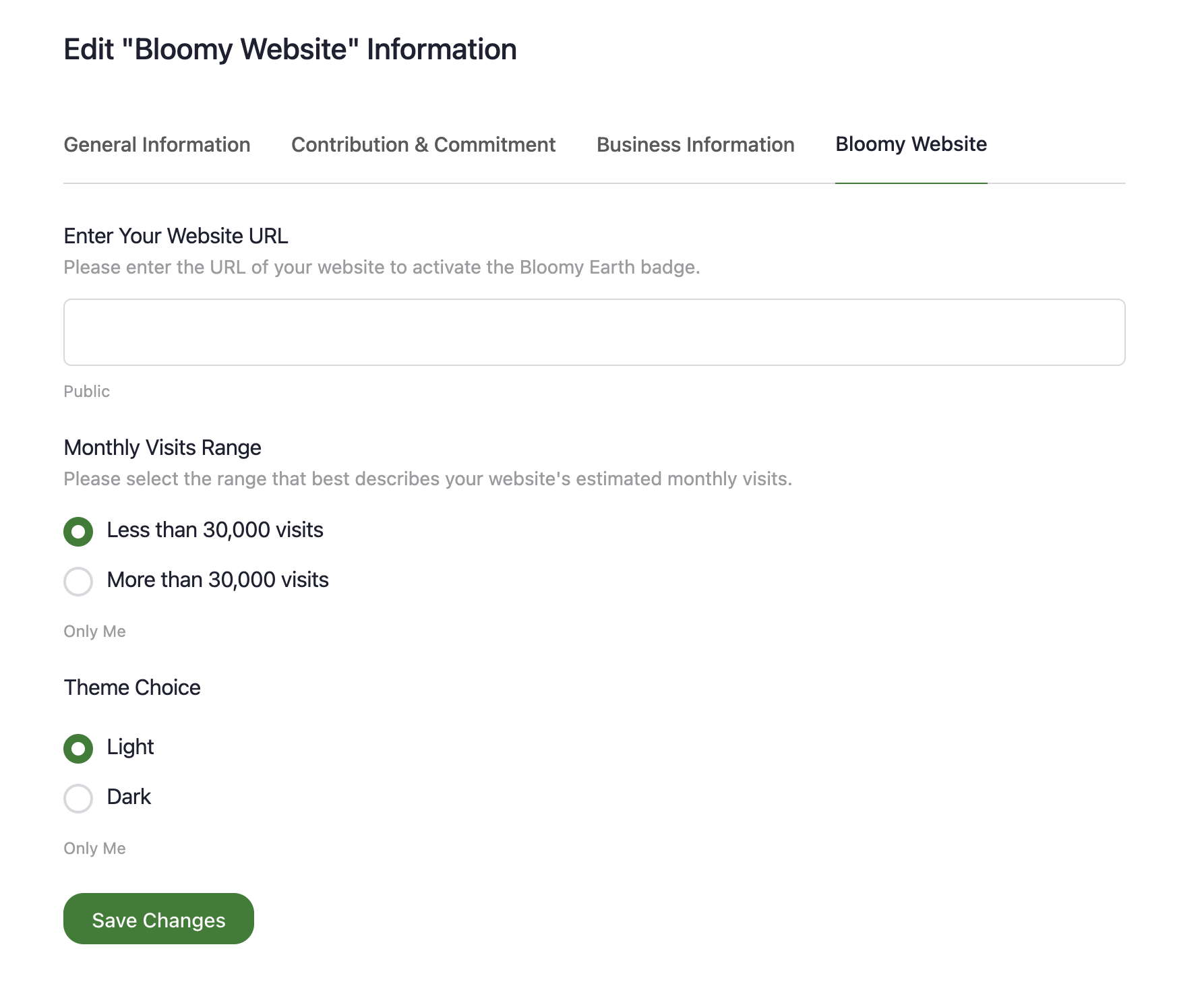
You’ll arrive on the “Edit Bloomy Website Information” page.
Fill in the following details:
-
Website URL – Enter the full URL of your website (e.g., https://yourwebsite.com).
This will activate your Climate Positive badge.
-
Monthly Visits Range – Select the range that best represents your estimated monthly traffic:
-
Less than 30 000 visits
-
More than 30 000 visits
-
-
Theme Choice – Choose your badge color scheme:
-
Light (for light backgrounds).
-
Dark (for dark backgrounds).
Once done, click “Save Changes.”
3. How It Works
Bloomy Earth automatically tracks your website’s page views using a privacy-first tracker.
No cookies, no personal data — 100 % GDPR compliant.
For every 30 000 visits, one tree is planted on your behalf.
Your contributions appear transparently in your My Impact profile.
4. Retrieve Your Installation Codes
After saving your website details, return to your dashboard.
You’ll now see two code snippets:
A. Tracking Script (required)
This script tracks anonymous page views — similar to any Matomo or Google Analytics code.
Paste it in your website’s footer (recommended) or header.
<!-- Bloomy Earth Website Widget -->
<script>
  var _paq = window._paq = window._paq || [];
  _paq.push(['disableCampaignParameters']);
  _paq.push(['setDoNotTrack', true]);
  _paq.push(['disableCookies']);
  _paq.push(['trackPageView']);
  (function() {
    var u="//analytics.bloomy.earth/";
    _paq.push(['setTrackerUrl', u+'matomo.php']);
    _paq.push(['setSiteId', '0']);
    var d=document, g=d.createElement('script'), s=d.getElementsByTagName('script')[0];
    g.async=true; g.src=u+'matomo.js'; s.parentNode.insertBefore(g,s);
  })();
</script>
<!-- End Bloomy Earth Website Widget -->
💡 WordPress users:
If you’re using WordPress, insert this code with a plugin such as “Insert Headers and Footers” or through your theme’s footer scripts section or refer to this official doc.
💡 For other popular platforms:
If you're using Shopify, React, Angular, or another platform, refer to the official Matomo integrations guide for specific instructions and SDKs: https://matomo.org/guide/tracking-data/integrations/.
B. Climate Positive Badge
Display your Climate Positive Website badge anywhere on your site — typically in the footer.
Choose the dark or light version based on your site theme.
Example:
<!-- Climate Positive Website Badge -->
<a href="https://www.bloomy.earth/members/your-profile/my-impact/">
  <img src="https://www.bloomy.earth/wp-content/uploads/2025/05/climate-positive-website-badge-dark.png"
       alt="Climate Positive Website Badge"
       style="width:250px; height:auto;" />
</a>
<!-- End Badge -->
💡 In WordPress, simply add this code inside an HTML block in your footer or widget area.
5. Verify Your Activation
Once installed, Bloomy Earth will automatically detect your website traffic.
You can track your planted trees from your My Impact dashboard tab.
6. Why It Matters
-
🌎 Effortless Sustainability: Turn your daily website traffic into real climate action.
-
🌱 Automatic Tree Planting: One tree every 30 000 visits — at no extra cost.
-
🔒 Privacy-First Analytics: Fully GDPR compliant, no cookies, no tracking of personal data.
-
💚 Brand Credibility: Show visitors your commitment with the Climate Positive Website badge.